The promise was simple: an AI agent living right in the frontend, capable of fetching real-time tools from a Model Context Protocol (MCP) server to solve complex user tasks. On paper, it was brilliant. In practice? It was a disaster (my disaster, of course).
The first time we hit "Execute," I had enough time to go make a cup of coffee, come back, and still see the loading spinner dancing. We were looking at a 40 to 90-second delay. In the world of web performance, that isn’t a delay—it’s an outage.
The "Just-in-Time" Trap
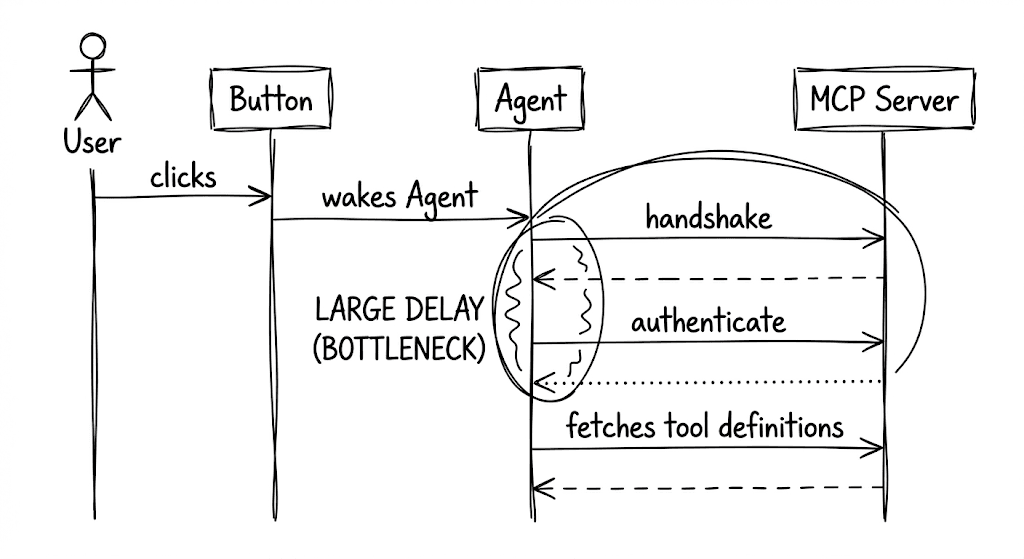
The issue was our "On-Demand" initialization. Every time the user clicked the action button, the frontend would try to:
- Wake up the agent.
- Perform the handshake with the MCP server.
- Authenticate the session.
- Fetch the entire toolset definitions.
Only after this long-winded "introduction" could the agent actually start thinking.
Enter the Singleton: The Art of Pre-Warming
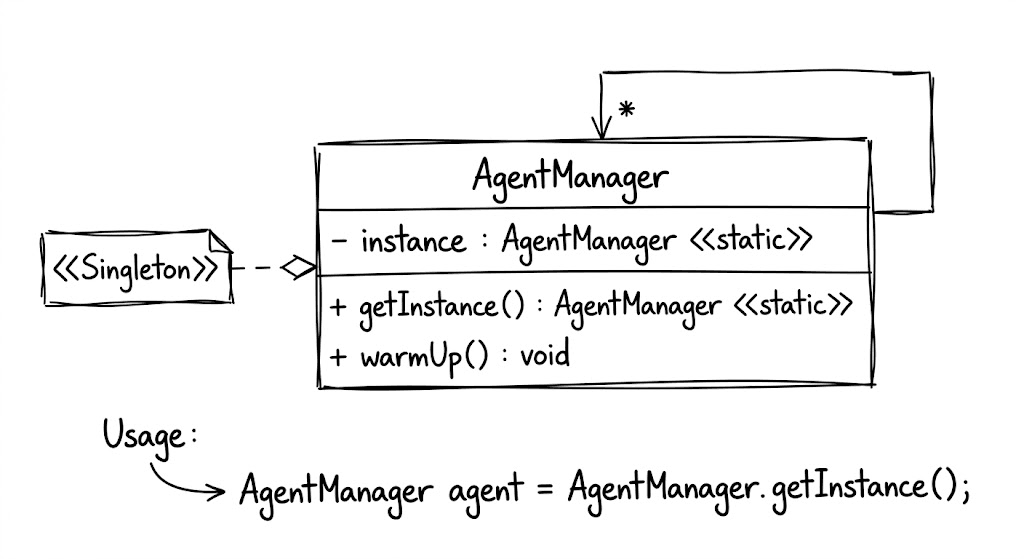
To fix this, we turned to a classic: the Singleton Pattern. Instead of letting the agent be a fleeting object created on a whim, we moved its lifecycle to the application's root.
As soon as the user landed on the page, the Singleton instance was birthed. While the user was still busy reading the header or moving their mouse, the Singleton was already "working out" behind the scenes—authenticating, discovering tools, and warming up the connection.
From 90 to 8 Seconds
The result was transformative. By the time the user actually needed the agent and clicked that button, the agent was already standing by, tools in hand, ready to execute. We slashed the perceived response time from over a minute to a crisp 8-10 seconds.
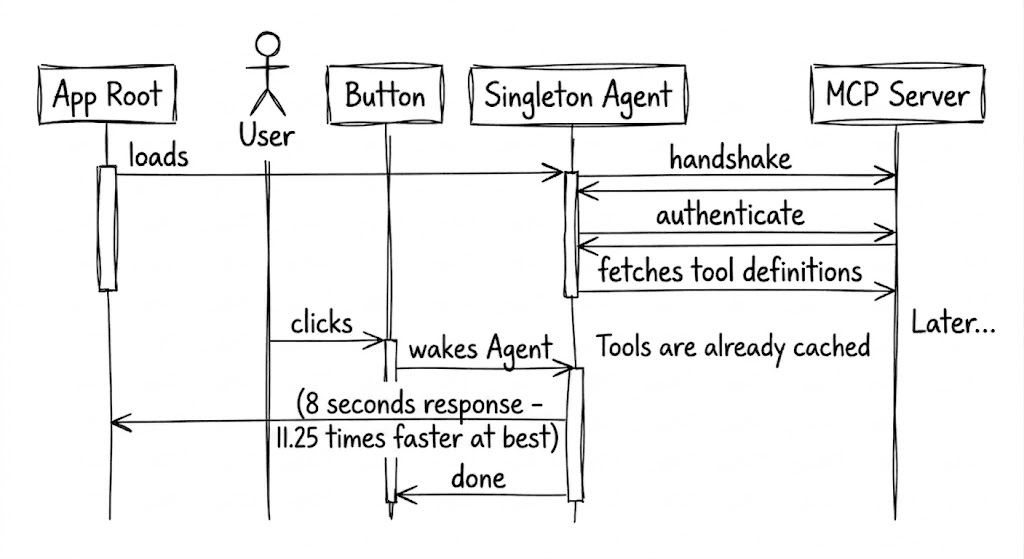
We didn't change the speed of the MCP protocol; we just changed when we started listening to it. It’s a reminder that even in the cutting-edge world of AI agents, the "old" design patterns are often the best tools we have to ensure our tech remains human-centric.